| Meridian One Speech |
 |
Orpheus and Fast TalkingOrpheus is the multilingual text to speech (TTS) synthesiser from Meridian One for Laptop, Notebook and Desktop computers running Microsoft Windows 8, Windows 7, Vista or Microsoft Windows XP. Orpheus is available as Orpheus TTS Plus or Orpheus TTS. Orpheus TTS plus and Orpheus TTS speak 25 languages with synthetic voices capable of high intelligibility at the fastest talking rates. Orpheus TTS Plus adds natural sounding voices for UK English, US English and Swedish. 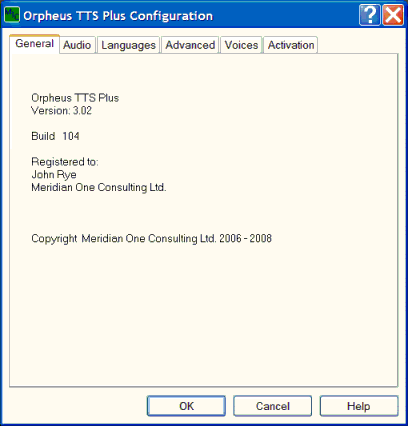
Orpheus text to speech engines are compatible with Microsoft Speech API versions 5 (SAPI 5), the legacy Microsoft SAPI 4, and Dolphin SAM talking applications. You can download Orpheus for a free 30-day evaluation, then buy a low-cost activation license for unlimited use with free updates. Benefits of Orpheus
Fast SpeechOrpheus is renowned for the intelligibility of its synthetic voices when speaking at the fastest talking rates, a benefit favoured by many regular users of TTS, especially users of screen readers. Orpheus synthetic voices are great for applications in home and office where the speed of getting the job done can really matter. When we speak quickly we shorten the speech sounds that we make and try to speed up the transitions between them. How much we shorten each sound depends on the nature of the sound and its context, or position, in the speech. However, the maximum speed of transition between the speech sounds is restricted by the speed that we can move the articulators, our jaw, tongue, lips and velum. Eventually, as the speech gets even faster, we are unable to speed up the transitions any further. If we keep trying to speak faster, because we can't move any faster, then eventually we fail to reach the target positions for the articulators needed for each sound. The speech then becomes less intelligible. It's a bit like someone who has had a little too much to drink and so is unable to move their articulators at a normal speed and their speech becomes slurred. So, how does Orpheus maintain intelligibility at the fastest speaking rates? Orpheus has design features at all levels to do this. For example:
You can read a summary of the Fast Speech paper presented at CSun 1999. Fast clear speech is a real practical benefit for users of TTS in the workplace and in education. topic listOrpheus Voice TypesOrpheus TTS Plus is unique in that it can speak voices made for two different scenarios. It speaks using formant synthesis voices, which model the human voice production, and concatenative voices, which join up and manipulate fragments, or units, of speech taken from real human speech and stored in a database of speech sounds. Orpheus synthetic voices are great for fast-talking applications in home and office where speed and intelligibility enhance productivity and ease getting the job done. Orpheus TTS Plus concatenative voices offer a much more natural sounding complement for applications where naturalness is the requirement. topic listFast Voice SwitchingOrpheus is designed to switch its voices and languages real fast. This is a major requirement for working well with a screen reader. Using the Dolphin SAM driver you can instantaneously switch to any voice or language, even from a synthetic to natural sounding voice or vice versa. Orpheus responds to the fast voice changes needed for screen reading to support users who need one voice, or language, for a document's text and another for their screen reader's commands. topic listUnique BenefitsBoth Orpheus TTS Plus and Orpheus TTS offer unique and special benefits. You can create a skim reading voice to skip through text speaking only the most important words. You can even set the level of importance of words that will be spoken. Orpheus provides the correct pronunciation of many heteronyms - words spelt the same but pronounced differently - depending on their context. Orpheus TTS uses a small memory footprint. topic listLanguages SpokenThe languages supported are:
Voices for Hindi are currently being added to the portfolio. British English, American English and Swedish are also available with natural sounding concatenative (unit selection) voices in Orpheus TTS Plus. topic listCompatibilityOrpheus TTS Plus and Orpheus TTS are compatible with Microsoft Speech API 5, (SAPI 5) the old Microsoft Speech API 4 (SAPI 4) and Dolphin SAM applications. Dolphin SAM, available from Dolphin Computer Access is a great way of driving a TTS engine for screen reading and allows superb control of TTS voices. Microsoft SAPI 5 is the established interface for TTS on Microsoft Windows systems and is compatible with most talking applications running on Windows 8, Windows 7, Vista and XP. Orpheus also supports Microsoft SAPI 4 used by some legacy talking applications. topic listAcknowledgementsMeridian One is grateful for all help and advice received in the development of Orpheus now and in the past from members of the speech community and from the many blind and visually impaired users of Orpheus. Meridian One wishes to acknowledge Mark Huckvale and the department of phonetics at UCL for their permission to use SFS tools in voice creation for Orpheus. topic list |
|
Meridian One Speech is a trading name of
John Rye Copyright John Rye. 2014 - 2022 All rights reserved. Privacy Policy | Legal Notices |
Find us on
|

